CNC milling code examples are only useful if they include explicit machine states, consistent work coordinates, and a verification path. At Yonglihao Machinery, we use G-code daily for metal milling services. We find that most “simple code” failures result from hidden assumptions rather than missing commands. This article focuses on reusable milling G-code examples, prioritizing safety over long command dictionaries.
Our goal is simple: you should be able to copy an example, adjust a few parameters, and verify safety before the cutter touches material. We focus on milling-centric codes, avoiding lathe topics or macro programming. Since controller dialects vary, always verify code against your machine manual and control defaults.
CNC Milling Structure
A reliable G-code program sets units, planes, distance modes, and work offsets before motion starts. Most controls execute programs from top to bottom. Many settings are modal, meaning the last active mode stays in effect until changed. Therefore, examples must set their required modes explicitly instead of trusting the previous program’s state.
Program headers typically include start/end markers, program numbers, and comments identifying intent. Line numbers are optional but help pinpoint errors quickly. Comments are most useful when stating measurable setup facts, such as Work Coordinate System (WCS) choice and safe Z clearance targets.
Work offsets define the relationship between machine zero and part zero. Milling programs commonly use G54–G59. Machine-coordinate moves (often G53) reference machine zero, so the same values produce different moves than G54 commands. Treat any machine coordinate references as controller-specific and verify them on the target machine.
|
Code |
What it controls in milling |
What we verify before using it |
|---|---|---|
|
G20 / G21 |
Units (inches vs mm) |
Set units at start to avoid inheriting defaults. |
|
G17 |
Active plane for arcs/cycles |
Plane must match intended motion. |
|
G90 / G91 |
Absolute vs incremental mode |
Set mode explicitly before positioning moves. |
|
G54–G59 |
Work coordinate system |
WCS must match probed part zero. |
|
G00 |
Rapid positioning |
Verify Z clearance; rapid paths may not be straight. |
|
G01 |
Linear feed motion |
Feedrate must match setup and tool engagement. |
|
G02 / G03 |
Circular interpolation |
Arc format and plane must match controller dialect. |
|
G40-G42 |
Cutter radius compensation |
Correct lead-in strategy and compensation register. |
|
G43 / G49 |
Tool length compensation |
H-number must match measured length offset. |
|
G80 |
Cancel canned cycles |
Cancel active cycles before unrelated motion. |
|
G28 |
Return to reference/home |
Verify intermediate behavior and coordinates. |
|
M03-M05 |
Spindle control |
Direction and speed must match tool process. |
|
M06 |
Tool change |
Confirm tool number and offset mapping. |
|
M08 / M09 |
Coolant control |
Mode must match material and enclosure needs. |
|
M30 |
End of program |
Know program end behavior and reset expectations. |
Risky Motion: Common G-Code Misconceptions
Safe milling code fails when it assumes a motion path or state that isn’t guaranteed. Beginners often treat G00 as a straight line. However, some controls execute rapids with axis-wise motion, creating “dog-leg” paths. Programs must prove Z clearance before rapid XY moves near clamps. You must also know if your machine uses dog-leg or straight-line rapids.
Units and planes present another trap. Controls retain prior states if you don’t set them at the start. Place G20/G21 and G17 near the top so previous jobs don’t silently reinterpret your numbers.
G28 home moves are also frequently misunderstood. The commanded coordinates can define an intermediate point the tool passes through on its way home. A safe approach retracts Z to a known clearance first, then handles XY. Most shops pair G91 with G28. This defines the intermediate point as an incremental move (zero distance) rather than an absolute jump. Always verify new patterns with a dry run.
Milling Code Types: Safe G-Code Patterns
Reuse is easiest when the code type matches your intent and risk profile. Don’t memorize codes; select a skeleton with verifiable assumptions. We group examples by motion pattern and safety requirements.
Facing Pass: Reference Surface Strategy
Facing works best as a first program. It teaches safe Z approach, feed engagement, and predictable retracts. These programs require explicit units, WCS, tool length compensation, and conservative clearance strategies. The key reusable element is the path pattern (rectangle or zig-zag), not specific feed numbers.
2D Contour: Perimeter Cutting Basics
Contour examples teach “closed geometry” and modal feed effects. You must verify if the code programs the tool centerline or part geometry (G41/G42). Wrong assumptions change finished sizes. Arc corners need attention because arc formats differ by controller dialect.
Pocket Milling: Cavity Clearing Control
Reuse pocket examples only when entry moves are controlled and Z clearances are explicit. Failures often stem from aggressive plunges or missing safe Z moves between passes. Pocket programs often highlight inefficiency, as air moves and retracts dominate cycle time.
Slot Milling: Stable Engagement Rules
Slot examples teach engagement control. The safest pattern uses predictable entry and clear rules for rapid vs. feed motion. Slots often sit near clamps, making Z-first rapid discipline critical to avoid fixture collisions.
Drilling Pattern: Canned Cycle Safety
Drilling examples replace repetitive code with cycles. However, cycle behavior varies across controls. Safe examples include G80 cancellation and explicit R-plane/Z-depth interpretation. If your control doesn’t support the syntax, fall back to explicit G00/G01 blocks.
Editable Example: Verified CNC Milling Parameters
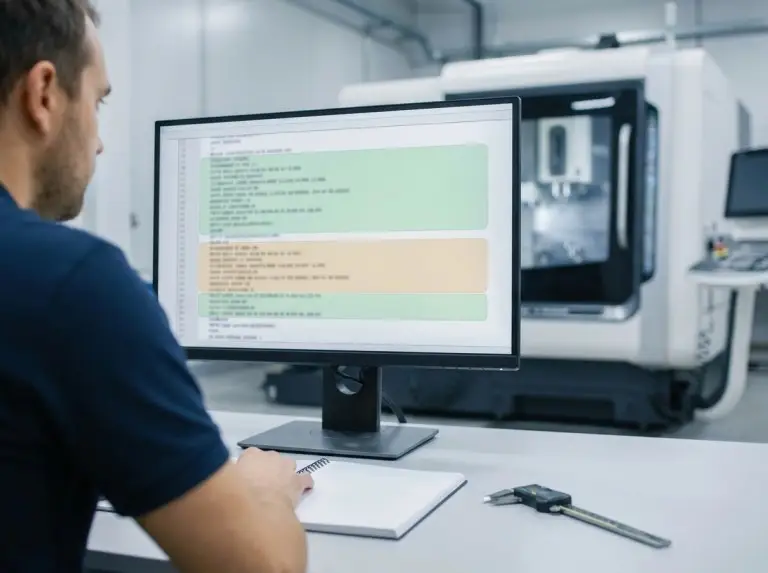
Publishable examples must define coordinates consistently. They should expose only editable parameters that don’t break safety. The code below cuts a 50mm square to a 2mm depth using absolute millimeters. The WCS origin is X0 Y0 at the square’s lower-left corner on the top surface.
%
O1001 (50X50 SQUARE CONTOUR EXAMPLE - MM, ABS, G54)
(Assumptions to verify: G54 zero at lower-left corner of square; Z0 at top surface)
(Tool 1 length offset stored in H01; adjust if your shop maps H-number differently)
N10 G21 G17 G90 G40 G49 G80 (Units, plane, distance, cancel comps/cycles)
N20 T1 M06 (Tool 1 change)
N30 G54 (Work offset select; do not rely on previous job)
N40 S2000 M03 (Spindle on CW)
N50 M08 (Coolant on if used)
N60 G00 X-2.0 Y-2.0 (Start 2mm outside the square)
N70 G43 H01 Z15.0 (Tool length comp, safe Z)
N80 G00 Z5.0 (Approach above surface)
N90 G01 Z-2.0 F100.0 (Plunge to depth)
N100 G01 X52.0 Y-2.0 F300.0 (Edge 1)
N110 G01 X52.0 Y52.0 (Edge 2)
N120 G01 X-2.0 Y52.0 (Edge 3)
N130 G01 X-2.0 Y-2.0 (Edge 4, close)
(Example uses a single full-depth pass; adapt stepdown and climb/conventional direction to your tool and material)
N140 G00 Z15.0 (Retract)
N150 M09 (Coolant off)
N160 M05 (Spindle stop)
N170 G91 G28 Z0 (Z home pattern - verify on your control; use incremental mode)
N180 G91 G28 X0 Y0 (XY home pattern - keep G91 explicit for clarity)
N185 G90 (Restore absolute mode for the next program)
N190 M30 (End program)
%
Reset Lines: Essential Safety Modes
A safe “reset line” prevents mode inheritance from prior runs. Units, planes, distance modes, and offsets are the minimum set to reduce ambiguity. Units require special attention because controls often keep the previous state unless explicitly reset.
|
Reset element |
Why it exists in milling code |
What we verify on the machine |
|---|---|---|
|
G21 |
Forces metric interpretation |
Machine default units and inheritance risk. |
|
G17 |
Aligns arcs/cycles with XY plane |
Controller arc/cycle plane behavior. |
|
G90 |
Ties coordinates to WCS zero |
Cancels later temporary incremental use. |
|
G54 |
Selects explicit work offset |
Probed part zero matches chosen WCS. |
|
G40 / G49 |
Clears length/radius comp |
Compensation register mapping. |
|
G80 |
Cancels drilling cycles |
Control-specific canned cycle behavior. |
The motion section separates rapid positioning from feed cutting. Rapid moves are riskier near fixtures. Since G00 moves may not be perfectly straight, establish Z clearance before any XY rapid motion.
Editable Parameters: Customizing the Code
|
Parameter you can edit |
What changes in the result |
What must be verified first |
|---|---|---|
|
Square size |
Finished profile and clearance |
WCS zero location and sign conventions. |
|
Depth (Z-2.0) |
Cut depth |
Z0 reference (top surface vs datum). |
|
Safe Z (Z15 / Z5) |
Clearance over clamps |
Tallest obstruction and tool gauge length. |
|
Feedrates |
Cutting load and finish |
Tool type, engagement, and rigidity. |
|
Spindle speed |
Chip load and sound |
Tool diameter and material behavior. |
Verification Checklist: Pre-Cut Safety Steps
A repeatable verification sequence ensures text translates to safe motion. Start by confirming the control shows the expected WCS (e.g., G54) and that displayed units match the program settings. Next, verify the selected tool number matches the tool length offset number (H-number). Mismatches here can cause dramatic Z shifts.
Prove motion without cutting using “single block” and “feed hold” modes. Keep the tool at a safe Z. Watch the first rapid move to confirm no dog-leg paths intersect clamps.
Dry-run the plunge logic to ensure the program feeds, rather than rapids, into material. Finally, validate G28 home behavior. Intermediate points and coordinates vary by control, so verify your specific return pattern.
Troubleshooting Failures: Identifying G-Code Errors
Efficient troubleshooting ties symptoms to verifiable machine states. Many “wrong part” errors stem from units, WCS, or offsets rather than geometry commands. Use a state snapshot (active WCS, units, tool numbers) to detect modal residue.
|
Symptom |
What we verify first |
Typical correction action |
|---|---|---|
|
Wrong distance/scale |
Units state (G20 vs G21) |
Add explicit units at start; re-verify. |
|
Wrong location |
Active WCS (G54–G59) |
Reconfirm G54 selection; re-probe. |
|
Unexpected incremental |
Distance mode (G90 vs G91) |
Restore G90 before positioning blocks. |
|
Rapid hits clamp |
G00 path and Z clearance |
Enforce Z-up before XY rapid. |
|
Wrong Z depth |
Tool length comp (H-number) |
Correct H-number usage and offsets. |
|
Unsafe home return |
G28 intermediate behavior |
Separate Z home; verify control semantics. |
Conclusion
A CNC milling code example depends on its assumptions. Milling assumptions use machine states, coordinate choices, and verification. Treat borrowed examples as templates to test. Start with mode resets, consistent WCS, and dry-run plans that prove safe motion before cutting. The example and tables here make that workflow fast and clear. They avoid a command encyclopedia.
To adapt an example to a real part, ask for control dialect, WCS method, tool list with offsets, and fixture clearances. These inputs turn a generic example into a draft program for CNC machining services.They focus edits on verifiable variables, not guesses.
FAQ
What makes a CNC milling code example “safe to reuse” across jobs?
A safe-to-reuse milling example resets critical modes and states. It does not just cut the right shape. The code sets units, plane, distance mode, WCS, and cancels cycles and compensations before positioning near the part. Controller differences apply. Reuse needs a short verification on the target machine.
Should a milling program always start with a safety/reset line?
A safety/reset line prevents mode inheritance from prior programs. Units risk high because controls keep previous states without explicit sets. Treat a reset line as baseline. Adapt it to shop standards and controller behavior.
What is the practical difference between G-codes and M-codes in milling programs?
G-codes command motion and geometry. M-codes command functions like spindle, coolant, tool change, and program end. A milling code example needs both for a full program. Lists and behavior vary by control. Treat references as guidance, not guarantees.
Why can a G00 rapid move be more dangerous than a cutting move?
A rapid move uses the machine’s top speed. It may skip straight paths on some machines. Multi-axis rapids create dog-leg motion closer to clamps than endpoints suggest. Prove Z clearance before XY rapid near obstacles.
Is G28 “return home” always safe to copy from another program?
Copy G28 only after verifying intermediate-point behavior and coordinates on your controller. Some use points to cut collision risk. Safest setup depends on fixture and control. Use dry run and single block to check.
Do all CNC machines use the same G-code commands and meanings?
G-code dialects vary across controls. Some support different methods or subsets. A command list is reference, not contract. Check milling code examples against the machine manual and shop conventions.
When should a milling program use G53 instead of G28?
G53 uses machine coordinates for that block only. It skips G90/G91 or intermediate points like G28. Prefer it for safe machine positions. Verify the position with dry run to avoid fixture hits.